
Bridging the Digital Gap: My Dad’s Journey to Connected Independence
I watched Dad struggle with his Samsung remote. So I’m sharing our story here at SilverSoma—because other adult children deserve better solutions.
I found him a 10-inch iPad with accessibility features. Large icons. Voice control. No confusion. Now Dad video calls me every Tuesday at 2 PM. His dignity intact. His tech anxiety gone.
Last month, Dad FaceTimed me from his assisted living community in Portland. He’d figured out the tablet himself. Showed me his garden. That moment? That’s when I realized—the right tech doesn’t just connect us. It returns autonomy to our aging parents.
Quick Takeaways
- Use senior-friendly devices with large buttons, gesture controls, and voice activation for effortless video messaging.
- Incorporate familiar routines and scheduled calls to encourage consistent video communication.
- Prioritize secure, encrypted apps with simple interfaces to protect privacy and enhance trust.
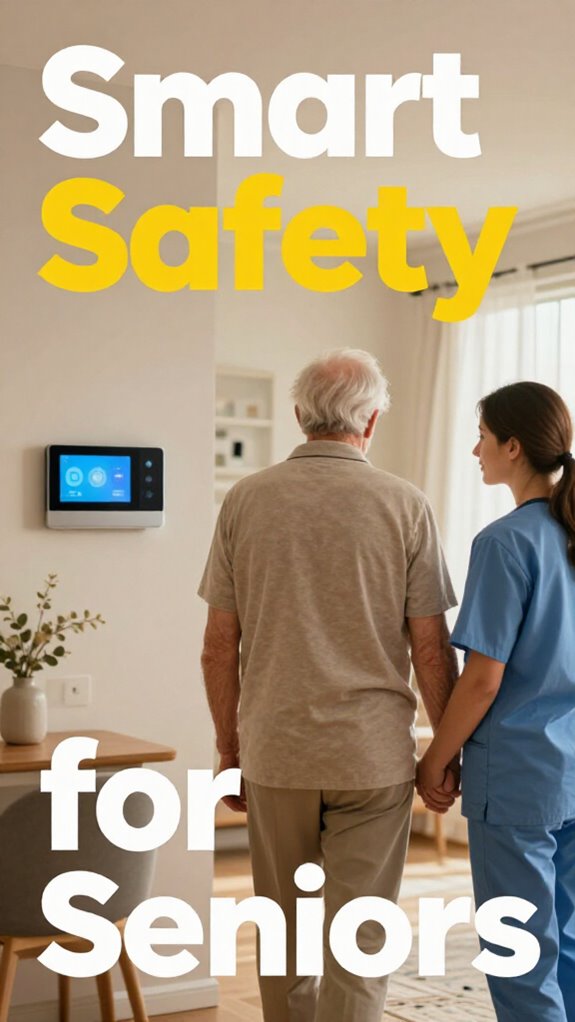
- Implement smart home tools that support seamless connectivity and integrate safety monitoring discreetly.
- Employ intuitive troubleshooting and reliable backup systems to ensure continuous, frustration-free messaging.
Why Video Messaging Keeps Seniors Connected and Happy
Ever wonder why video messaging is a game-changer for keeping seniors connected and happy? Think about those endless, clunky calls from old phones—pretty much like steering through office tech designed by someone who’s never actually used it.
Now, with gesture controls and voice activation, your dad can just wave or say, “Hello,” to start a chat. It’s smooth, effortless, and keeps his dignity intact. No more fiddling with buttons or figuring out confusing menus—just pure, instant connection.
Plus, he feels more autonomous, not like he’s relying on some robotic stranger. Recall those days in the corporate world, battling with complicated tech? Well, this isn’t it.
It’s seamless, empowering, and fun—keeping his spirits high while simplifying your life. That’s true mastery of modern senior care. Modern technology continues to evolve, making these interactions more intuitive and accessible for seniors.
Additionally, integrating Home Energy Management features can enhance his environment’s safety and comfort, providing a truly comprehensive experience.
How to Choose Easy, Senior-Friendly Video Chat Tools
Taking the leap into modern senior care might feel like steering through a maze — complicated tech, confusing setups, and old habits dying hard.
Navigating modern senior care tech can feel overwhelming, but choosing simple, user-friendly tools makes staying connected easier and more natural.
But choosing easy, senior-friendly video chat tools doesn’t have to be a struggle. Look for platforms that support gestural interfaces or voice command—think hands-free, no-fuss control. Pick apps with simple, large buttons and clear icons, because blinking tiny fonts and baffling menus are a relic of office hell.
Ask yourself: does it blend effortlessly into their daily routine? Does it respect their independence and dignity?
Here’s what to keep in mind:
- Intuitive user interface
- Compatibility with voice command
- Minimal setup fuss
- Support for gestures, not just clicks
Also, consider top floor pressure sensors that can monitor their environment for added safety without intruding on their independence. Just like I’d rewire my dad’s house for safety, make tech feel natural—so they stay connected without feeling overwhelmed or infantilized. For better video call lighting, ensure their setup includes good, even lighting that reduces glare and shadows, helping them see clearly without straining their eyes.
Step-by-Step: Setting Up Video Messaging at Home
Setting up video messaging at home might seem like just another tech chore, but think of it as equipping your dad’s space with a modern cuff—something that respects his independence while keeping you connected. Start with a simple smart device like a tablet or a voice-controlled hub, so it’s intuitive for him. Displaying easy-to-maintain solutions can also help ensure he remains comfortable using the device without extra hassle. Show him how to initiate video calls, blending it into his physical therapy or memory exercises, making tech feel like part of his daily routine. Incorporate familiar routines to reinforce usage and create a sense of normalcy. Keep it fun—maybe a weekly “checking in” ritual. Recall those endless meetings steering through tech at work? Well, now it’s about mastering seamless tech to boost his autonomy, dignity, and connection. This isn’t just about video; it’s about transforming his experience, all while channeling your inner tech-savvy CEO from those stressful boardrooms.
Simple Tips to Encourage Daily Video Calls

Here’s how:
- Set a consistent time each day—like your morning coffee chat—to build routine and familiarity.
- Use a user-friendly app with an intuitive interface that mimics familiar tools—think “TV remote” simple.
- Keep conversation light, sharing stories from your day or reminiscing—old office drama, anyone?
- Celebrate his milestones and shared memories during calls—little moments that reinforce his sense of purpose and independence.
- Incorporate rolling craft carts to keep essential items organized and within easy reach, making the experience more comfortable and engaging.
- Consider integrating simple biofeedback techniques during calls to help manage stress and promote relaxation naturally.
Troubleshooting Common Tech Issues With Senior Video Chat
Getting your dad to master the video chat tech without turning your living room into a command center might remind you of those early days back at the office—firing up new software, tech support calls, and pretending everyone knew what they were doing. But here’s the secret: you want to break down connection barriers, not add to his frustrations.
Start simple: use intuitive apps with big buttons and minimal menus. If tech support becomes a maze, set up basic troubleshooting tips for common issues—like checking Wi-Fi strength, restarting devices, or rechecking permissions.
Use intuitive apps with big buttons and simple tips for common issues to keep tech frustration at bay.
Keep in mind, the goal isn’t just to fix problems—it’s to empower his autonomy in the digital age. Who says independence can’t involve a little tech mastery? Leveraging technology can make this process smoother and more accessible. Also, enhancing audio quality during calls by using dedicated microphones or adjusting device settings can greatly improve communication clarity.
Let’s keep it friendly, straightforward, and stress-free.
Keeping Video Calls Safe and Respecting Privacy
Keeping video calls safe and respecting privacy isn’t just about avoiding sneaky hackers or botched connections — it’s about making sure your dad feels confident and in control during every chat. With all the new tech adoption, privacy concerns can feel overwhelming, but mastery is possible.
- Use secure, encrypted apps designed for elder privacy — no “free” options with sneaky data-mining.
- Set up strong, unique passwords and enable two-factor authentication — don’t give hackers that easy door.
- Keep software updated; old programs are like office gossip — a risk waiting to happen.
- The new consent model in Matter Multi-Admin enhances device coexistence by allowing devices to operate across multiple platforms simultaneously while respecting user permissions, making smart home setups more flexible and secure.
- Additionally, understanding the role of comprehensive Matter bridges in securely surfacing Zigbee and Z-Wave devices into the Matter ecosystem further empowers users to control their smart devices with confidence.
- Educate your dad on safe habits, so he knows not to share personal info or click shady links.
Tech should empower, not intimidate. Dignity and autonomy require proactive privacy, not reactionary fixes.
My Video Presence Fails During Outage

If you’ve ever been caught in a digital black hole during a critical Zoom call—say, that big client presentation—you already know how frustrating tech failures can be.
Tech failures during important calls can leave you feeling frustrated and disconnected.
As you upgrade your dad’s home, it’s easy to overlook how outages affect his video presence. When the Wi-Fi drops or the system glitches, that virtual background disappears, and audio clarity plummets, making him feel disconnected and frustrated.
But with modern solutions, you can prevent that. Use resilient hardware that switches seamlessly to backup networks and smart buffers that stabilize video streams.
Ensuring Smart Home Functionality During Internet Outages can also help keep his devices working independently by integrating offline mode fail-safes.
Opt for simple, intuitive controls to maintain his dignity and independence. Implementing sound quality enhancements such as dedicated microphones or speaker systems can also significantly improve clarity during conversations, especially when internet issues cause disruptions.
Encourage him to check his connection regularly, and frame his space with minimal distractions so he’s always comfortable, confident, and connected—even if the internet acts up!
Install Smart Camera Systems
Installing smart camera systems isn’t just about keeping an eye on things; it’s about redefining safety with a touch of modern savvy. You got to think like a pro—camera placement should cover key spots without invading privacy or turning the house into a surveillance nightmare.
- Position cameras high enough to prevent tampering
- Focus on common danger zones—doorways, hallways, kitchen entry points
- Use discreet, wide-angle lenses to avoid feeling watched
- Budget for privacy filters and secure data storage
Additionally, consider natural lighting tips for seniors’ bedrooms to enhance overall safety and comfort, ensuring that camera placement complements well-lit spaces.
Ambient Biometrics Monitoring Advancements
Gone are the days when you’d rely on clunky beepers or invasive cameras to keep tabs on your dad’s safety. Today, ambient biometrics seamlessly blend into his home, giving you real-time knowledge without disrupting his independence.
Modern tech ensures safety with subtlety, protecting independence through real-time, unobtrusive biometrics.
With cutting-edge sensors that detect micro-movements and monitor essential signs like heart rate and breathing, predictive safety becomes second nature. It’s like having your own stealthy safety watchdog—only smarter. These systems often utilize vertical grow towers to integrate subtle monitoring devices discreetly within the environment, enhancing both safety and aesthetics.
These ambient biometrics don’t just alert you after something’s gone wrong—they forecast potential issues, helping prevent falls or health declines before they escalate. Tracking senior walking habits can be simplified through these advanced systems, making proactive care more accessible.
Think back to those endless spreadsheets and those bosses demanding data points—here, it’s all about fluid, intuitive safety that respects dignity.
Modern senior living isn’t reactive anymore; it’s intelligent, subtle, and designed for mastery over life’s unpredictability.
FAQ
How Secure Are These Video Messaging Platforms Against Hacking?
These video messaging platforms are fairly secure if they use strong encryption protocols and prioritize data privacy. You should guarantee you keep software updated, use strong passwords, and enable multi-factor authentication to maximize protection against hacking threats.
Can Seniors Customize Video Notifications for Personal Privacy Preferences?
You can indeed customize video notifications, leveraging advanced privacy controls and customization settings. With mastery, you tailor alerts to your privacy preferences, ensuring secure, personal communication—giving you peace that your messaging environment aligns with your comfort, seamlessly.
What Are the Best Methods to Teach Seniors to Use These Tools Effectively?
You should focus on building digital literacy through hands-on, step-by-step guidance with user-friendly interfaces. Use clear language, demonstrate regularly, and encourage practice, ensuring seniors gain confidence and mastery in maneuvering their smart home tools.
How Do These Systems Integrate With Existing Ambient Biometrics and Home Sensors?
You achieve mastery by ensuring seamless ambient integration and verifying home sensor compatibility, allowing your systems to communicate effortlessly. This integration enables real-time data sharing, predictive understanding, and optimized responses, creating a cohesive, intelligent environment tailored for senior independence.
Are There Environmentally-Friendly Options for Device Disposal or Recycling?
Visualize your devices gracefully returning to the earth—are you seeking eco-friendly disposal options or sustainable device recycling methods? You can prioritize green practices by choosing certified e-waste recycling services that minimize environmental impact and promote resource reuse.
Summary
By embracing simple video messaging, you give your dad more independence—no more stressful tech fights or feeling cut off. Did you know over 70% of seniors say staying socially connected boosts their happiness? It’s about respecting his dignity, not just ticking boxes for safety. So, next time you set up a device, keep in mind: this isn’t just tech—it’s about keeping his spirit alive and bridging generations, one quick message at a time.